What is it?
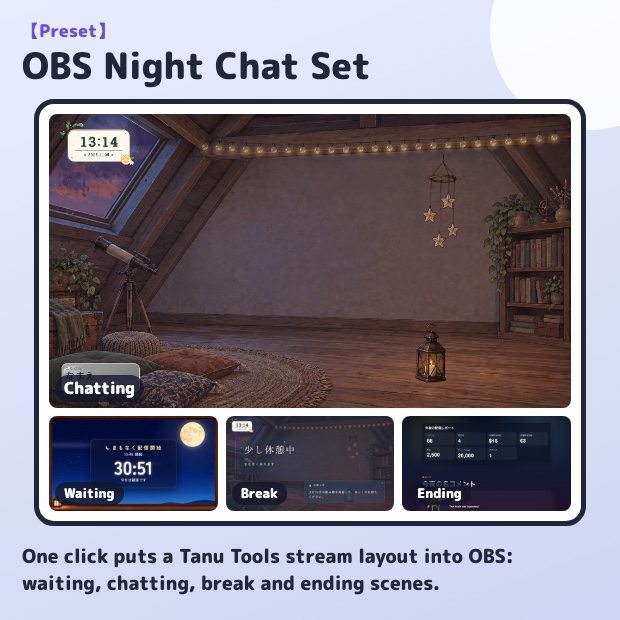
Building a stream layout from scratch is hard work. Press one button in this app and it adds a layout of Tanu Tools browser sources to your OBS: a moving background (Starry Attic), clock, announcement slides, name tag, comment box and applause, with the center left open for your avatar.
There are four scenes: waiting (Moonlit Waiting Room countdown), chatting, break and ending (end credits). Your current OBS screens are not removed; everything is added as a new scene collection, so you can switch back at any time.
Afterwards, use "Settings for this set" on the same page to change the name tag, announcement slides, waiting screen, comment box and more, switching between them with tabs.
This set is free (login required). On the free plan's "up to 2 tools at once" limit, the parts of this set count as one.
With "Set colors", pick a color, brightness and font in one place and parts such as the name tag, clock, comment box and goal bar all match it.
If you already have your own stream layout, use "Add to current screen" to add only the parts you pick, such as the clock, name tag and comment box, to your current scene (no new scene collection is created).