What is it?
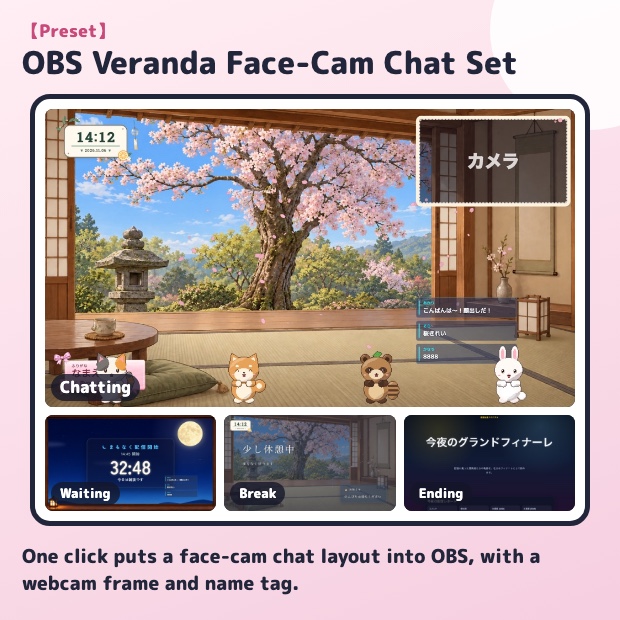
One click puts a layout for chatting on camera into OBS. On the moving background (a Japanese veranda with cherry blossoms), a webcam frame (Fluffy Camera Frame) sits at the top right, with a clock, name tag, comment box and "8888" applause. After adding, just put OBS's Video Capture Device under the frame.
Four scenes: waiting (moonlit waiting room), chat, break and ending (end roll).
Your current OBS screens stay as they are: everything is added as a new scene collection, so you can go back at any time. Afterwards, "Settings for this set" on the same page lets you change every tool in the set, switching between them with tabs. With "Set colors", pick a color, brightness and font in one place and parts such as the name tag, clock, comment box and goal bar all match it.
If you already have your own stream layout, use "Add to current screen" to add only the parts you pick, such as the clock, name tag and comment box, to your current scene (no new scene collection is created).